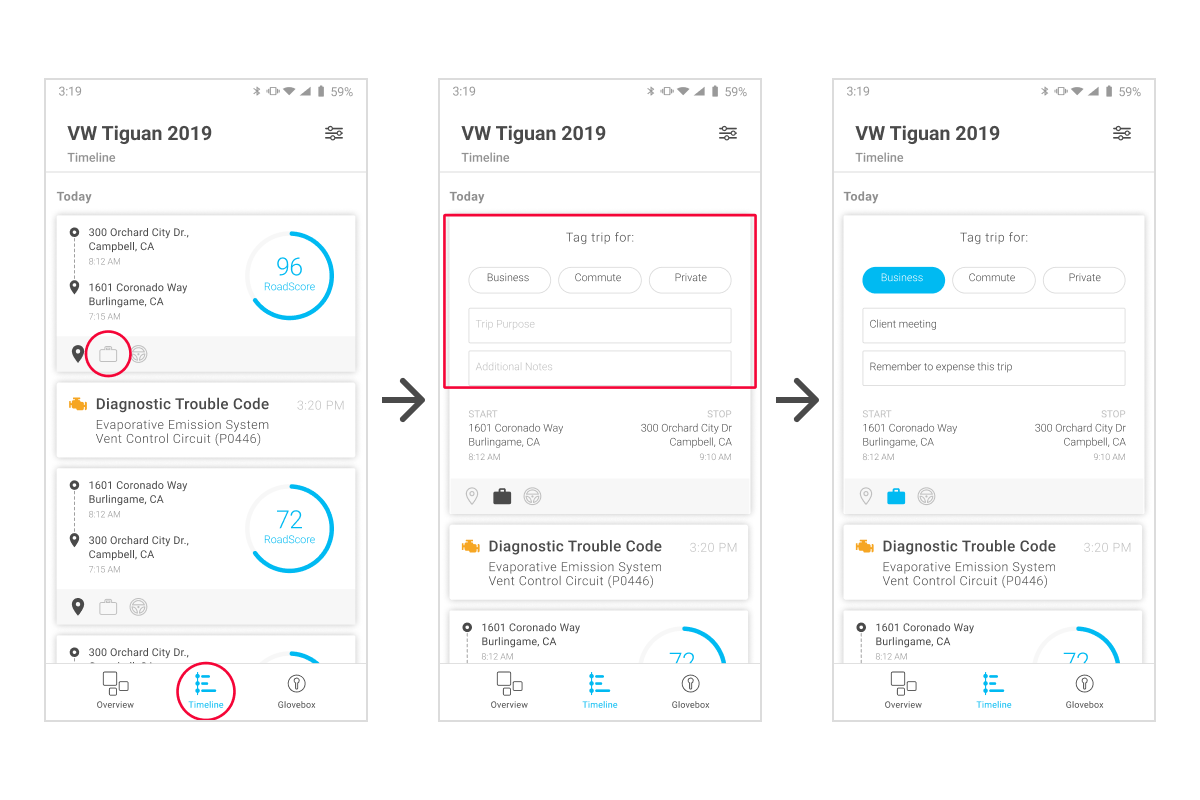
How to tag trips:
-
Tap Timeline from the bottom navigation bar to display your trip history
-
Tap the suitcase
 beneath a completed trip
 -
Tag the trip as Business, Commute, or Private
-
If you wish, enter details in the Trip Purpose and Additional Notes fields
-
When you're done tagging the trip, tap the pin
 (next to the suitcase) to save and close
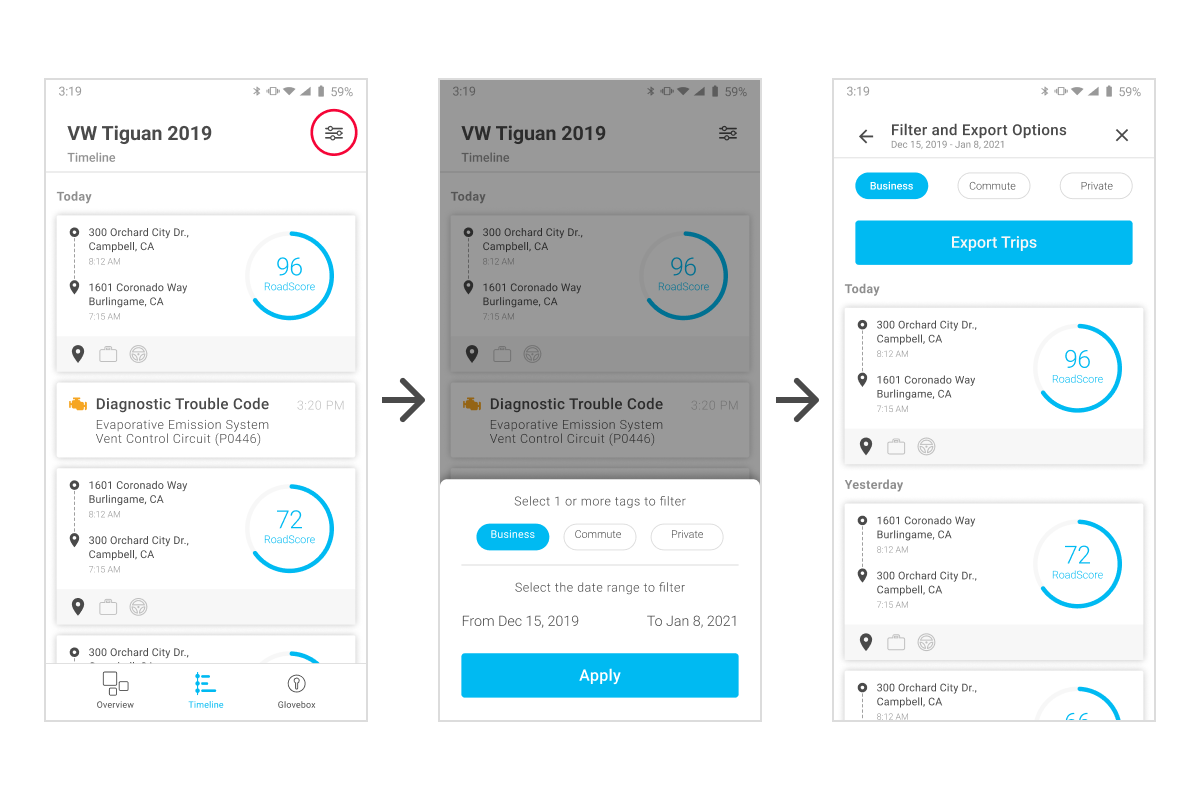
How to export trips:
- From the Timeline screen, tap the filter icon

- Select one or more trip types (Business, Commute, or Private) that you want to include in the report
- Leave the date range as is or tap to set a specific range
- Tap Apply
- Tap Export Trips
- Choose the file format you want your trips sent in: XLS, CSV, or PDF
- An email with the attachment will be sent to you