Notifications are a great way to keep informed about the state of your vehicle.
Manage notifications:
-
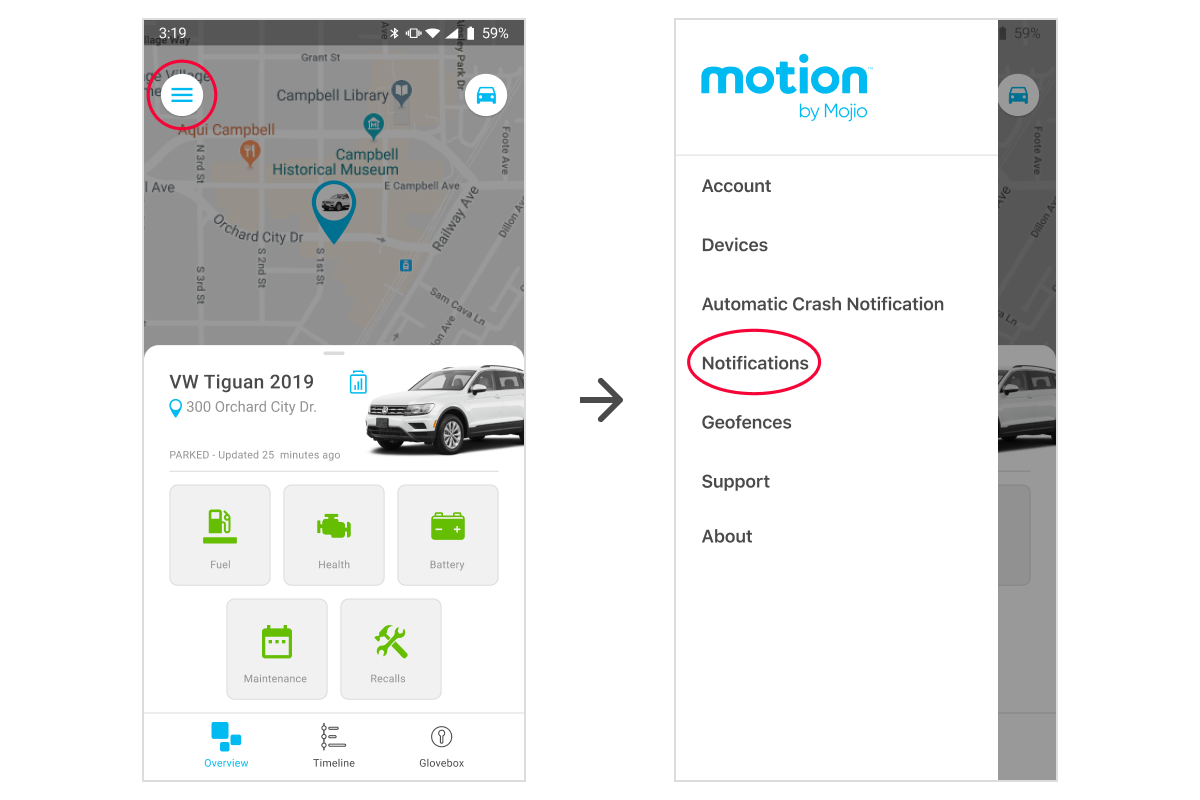
From the Overview homepage, open the account settings menu by tapping the menu icon

-
Tap Notifications
-
If you have multiple vehicles, select the one you wish to edit
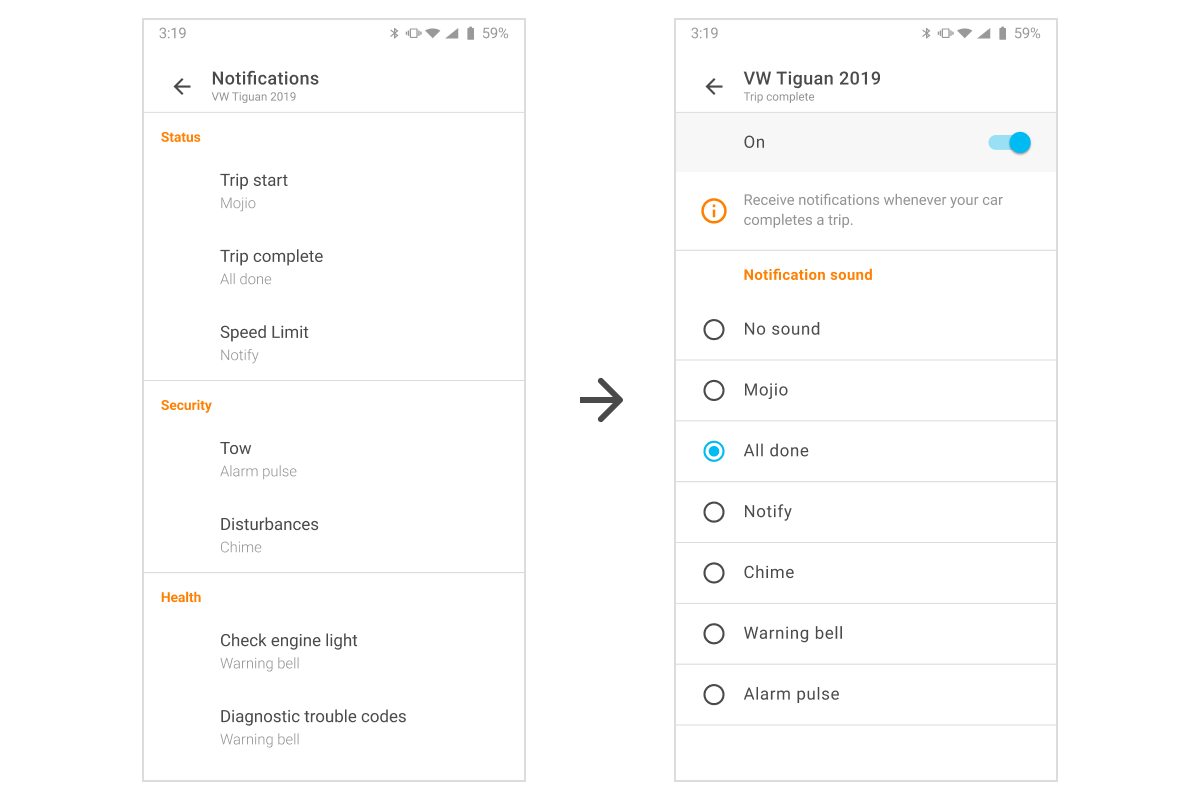
- On the Notifications screen, tap on any feature to edit it
-
The editing screen will let you turn notifications on or off for that feature, and designate which sound you want the notification to make, if any