The geofence feature lets you set a defined area that will generate a notification when your vehicle enters or exits it.
Create a geofence:
-
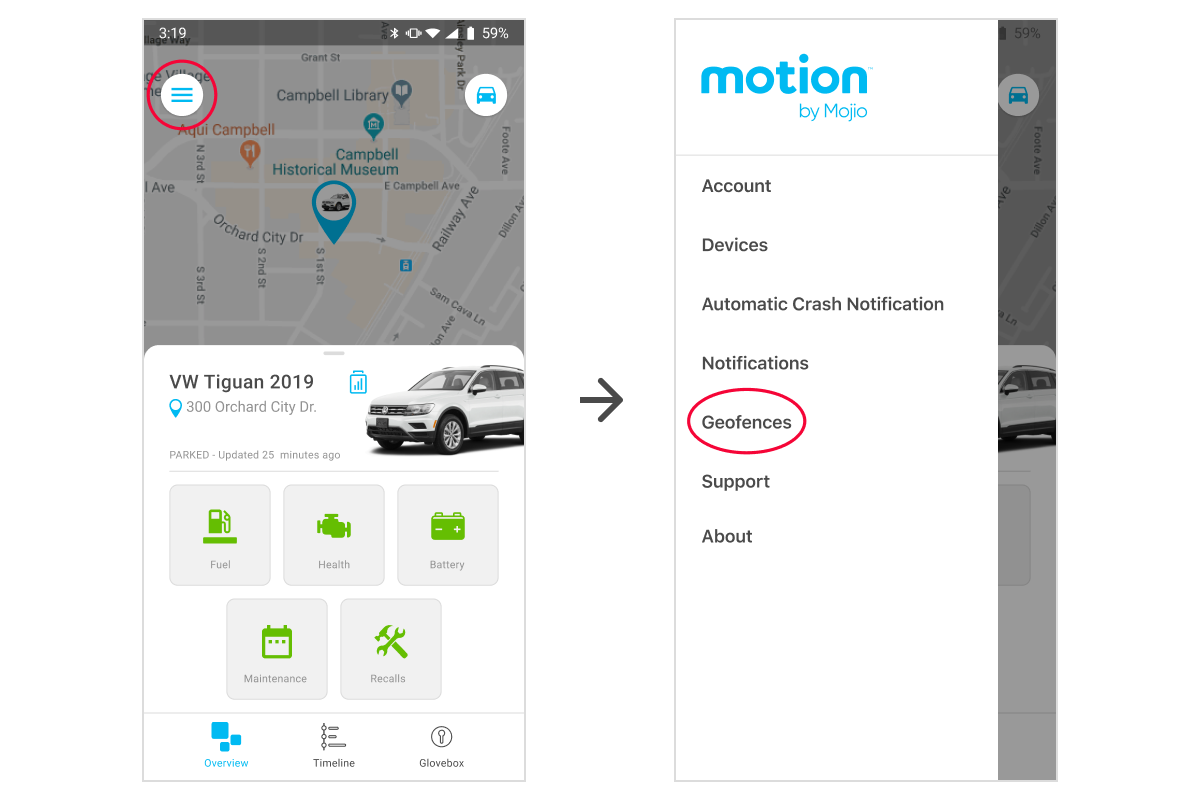
From the Overview screen, tap the menu icon

-
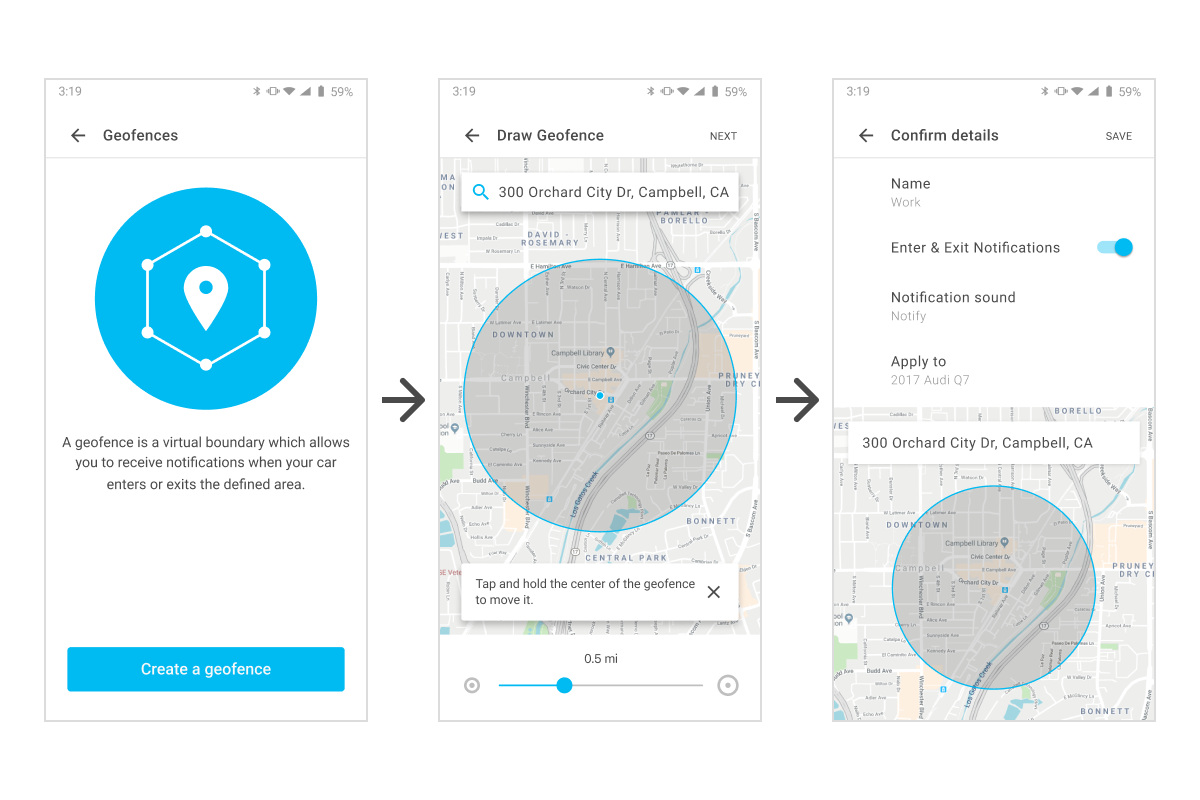
Tap Geofences and then Create a Geofence
-
Drag the dot on the map to the desired location (NOTE: To zoom in or out on the map, use two fingers and pinch in or spread out)
-
Drag the dot on the bottom slider to the left or right to shrink or expand the radius (range is from .05 to 25 miles)
-
Tap Next and edit the settings:
- Name
- Enter and Exit notifications
- Notification sound
- Apply to (a specific car or all cars on your account) -
Tap SAVE
Delete a geofence:
-
From the Overview screen, tap the menu icon
-
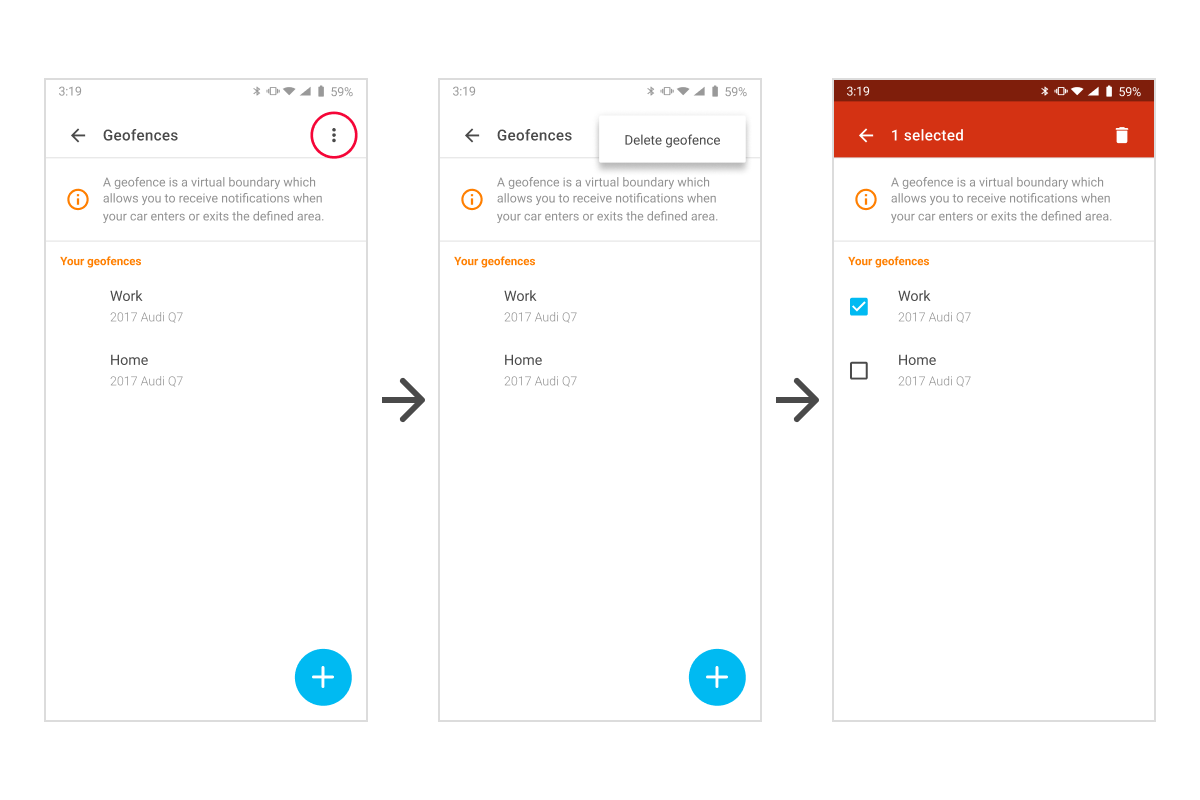
Tap Geofences
-
Tap the three dots

-
Tap Delete geofence
-
Select the geofence you wish to delete
-
Tap the trash can
-
When prompted to confirm deletion, tap OK