If you notice that your Motion device has been unplugged or if you receive a notification saying "Device Has Been Unplugged", you can reconnect it yourself.
How can I reconnect my device?
- Make sure your car is safety parked and the engine is turned off. (Do not reconnect the device unless the car is turned off.)
- Look for the OBD port in your vehicle, which is typically located under your instrument panel.
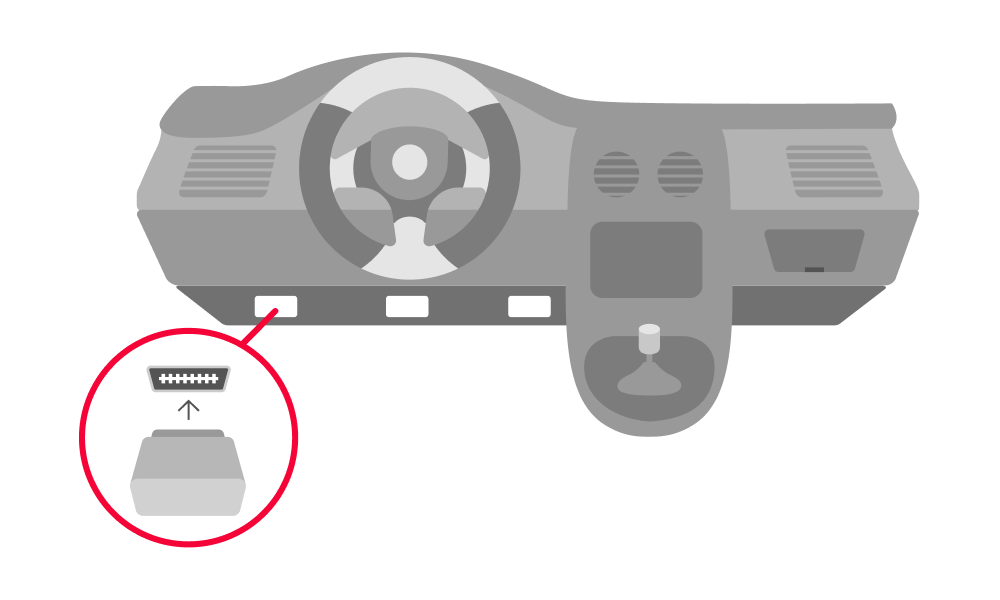
- Plug your device back into OBD port. Do this carefully to ensure you don't damage the pin connection, but ensure that the plug is firmly into the socket.
- Take your car for a test drive in an area with cellular coverage to confirm that the device is functioning.
If you are unable to reconnect your device, contact support:
- Email: motionsupport@moj.io
- In-app Support:
- From the Overview screen, tap the menu icon

- Tap Support
- From the options in the chat window, tap Connect with Agent.
- From the Overview screen, tap the menu icon
Agent support is available 9am-7pm EST, Monday to Saturday. If your request is made after hours, an agent will be in touch when live support resumes.