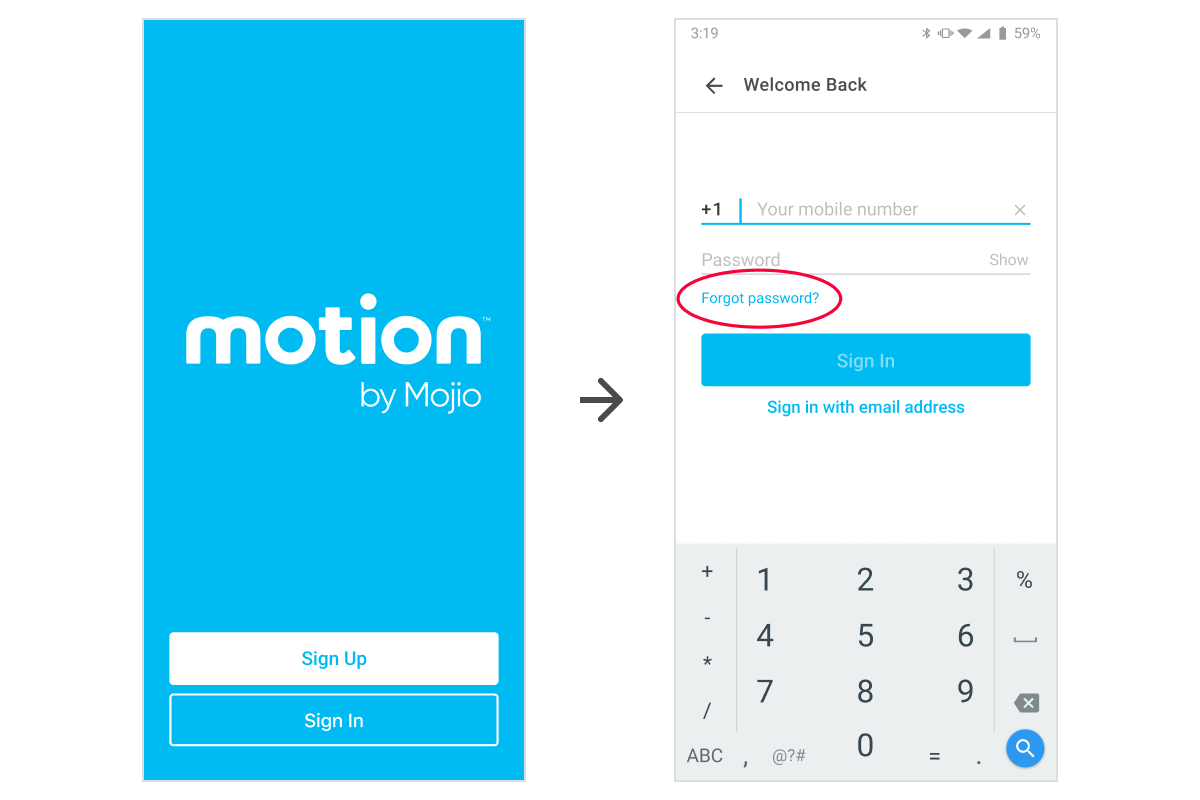
You can change your password by logging out of the app and then using the Forgot password? function:
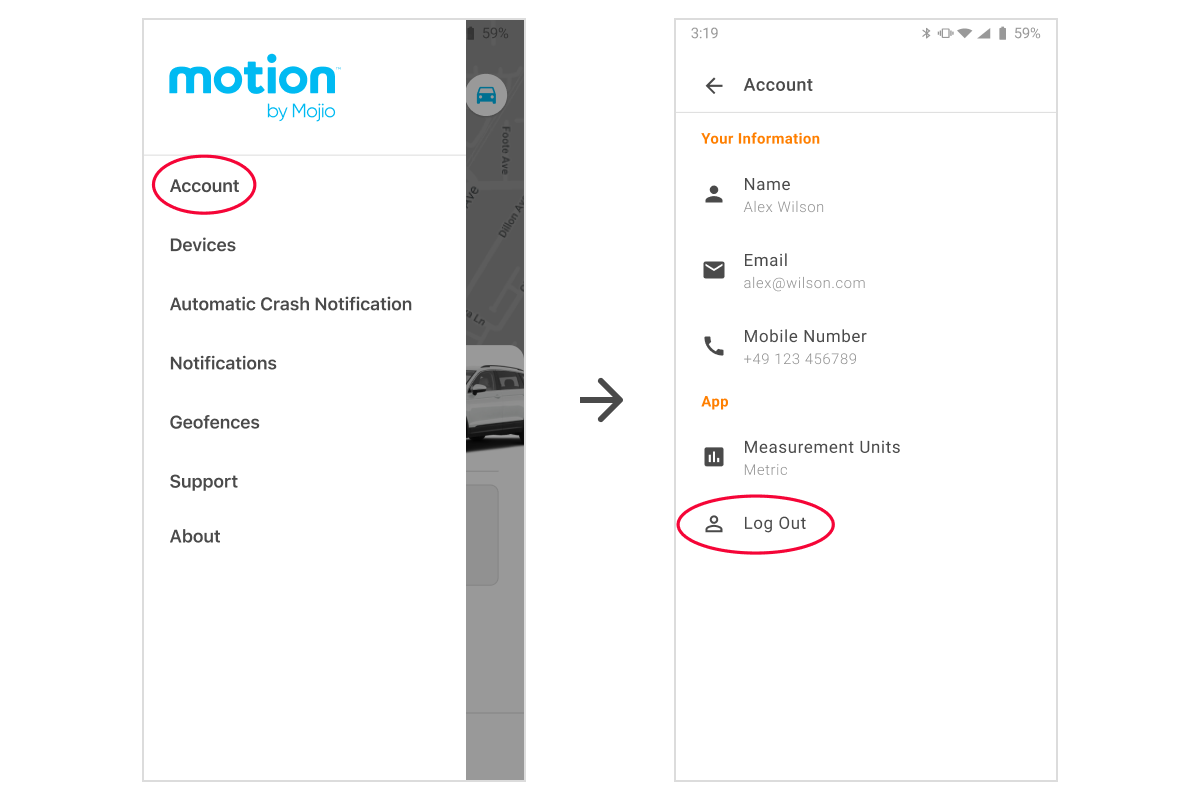
- From the Overview homepage, open the account settings menu by tapping

- Tap Account and then tap Log out
- Once you're back to the welcome screen, tap Sign In
- Tap Forgot password? and follow the on-screen instructions